Chad McGuire (Sparrow Intel) changed status to In Progress
Team•
Oct 15
Pinned
Starting work on this now - thanks!
Chad McGuire (Sparrow Intel)
Team•
Oct 15
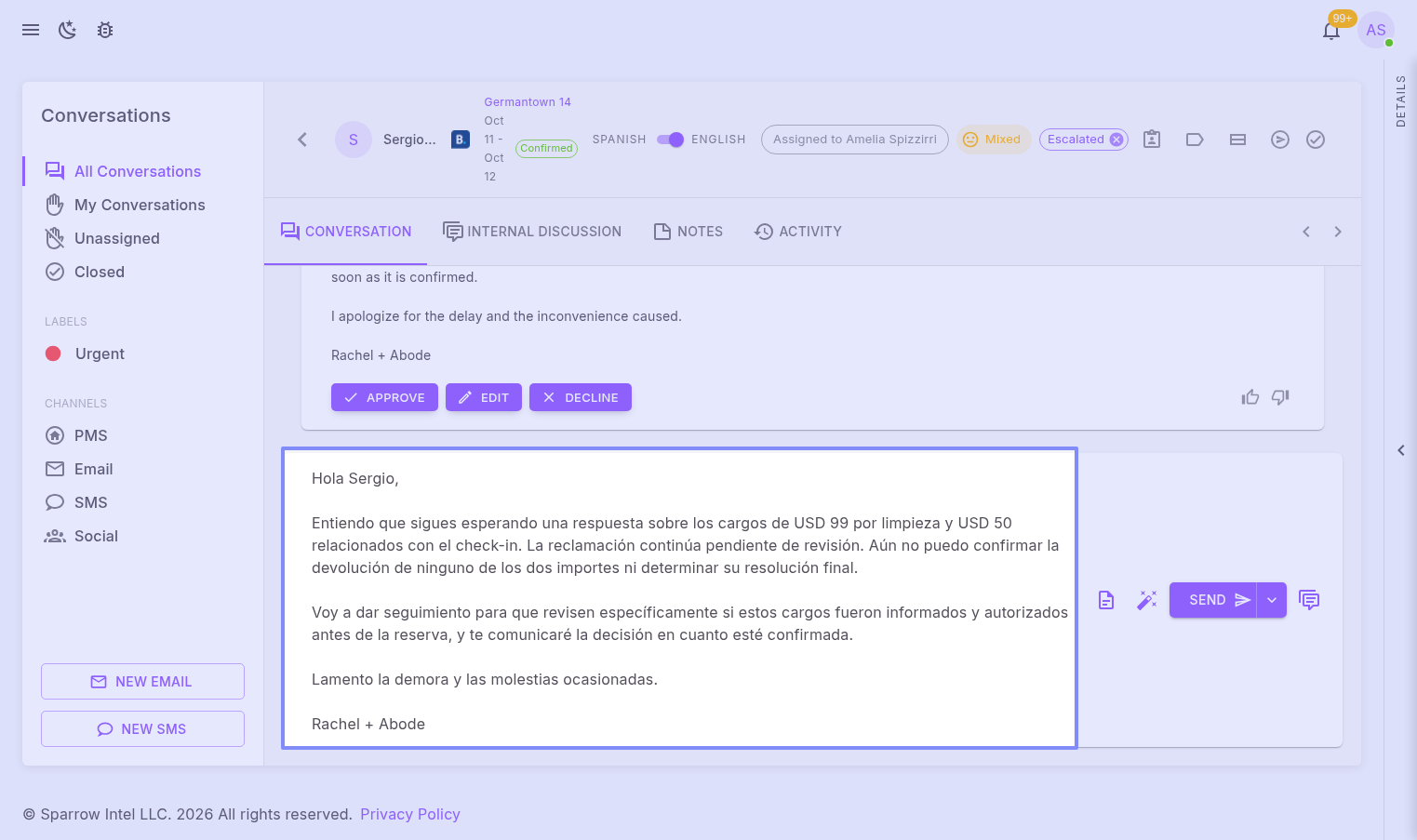
Hi Amelia, thanks for flagging this, and for the earlier example with the Chinese-speaking guest. Both come from the same issue, and here's how it will work once the fix is out:
Edit opens the draft in English. When the language switch at the top of the conversation is on English, clicking Edit puts the English version in the reply box, the same text you see on the card.
You choose the language the guest receives. A new "Send in Spanish" button (it shows the guest's language) sits next to Send. By default your message is translated into the guest's language when you send it, so you can edit in English and the guest still gets their own language. Switch it to "Send in English" to send your text exactly as written. Approve follows the same setting.
You can always check what went out. Sent messages show in English with the language switch on English, and in the guest's language with it off.
Email replies work the same as today for now. It's live in our test environment now.
Log in to comment and vote
Comments2
Oct 15
PinnedStarting work on this now - thanks!
Chad McGuire (Sparrow Intel)
Oct 15
Hi Amelia, thanks for flagging this, and for the earlier example with the Chinese-speaking guest. Both come from the same issue, and here's how it will work once the fix is out:
Edit opens the draft in English. When the language switch at the top of the conversation is on English, clicking Edit puts the English version in the reply box, the same text you see on the card.
You choose the language the guest receives. A new "Send in Spanish" button (it shows the guest's language) sits next to Send. By default your message is translated into the guest's language when you send it, so you can edit in English and the guest still gets their own language. Switch it to "Send in English" to send your text exactly as written. Approve follows the same setting.
You can always check what went out. Sent messages show in English with the language switch on English, and in the guest's language with it off.
Email replies work the same as today for now. It's live in our test environment now.
Chad