Custom Permissions - The right access for everyone on your team
Hi there!
You can now choose exactly what each person on your team can see and do in Sparrow Intel. With custom permissions, you decide area by area, from Reviews and Data & Dashboards to Rules, Templates and Integrations, whether someone can view it, change it, or not see it at all.
That means you can bring more people into Sparrow Intel without giving everyone full access.
Set exactly what each person can do
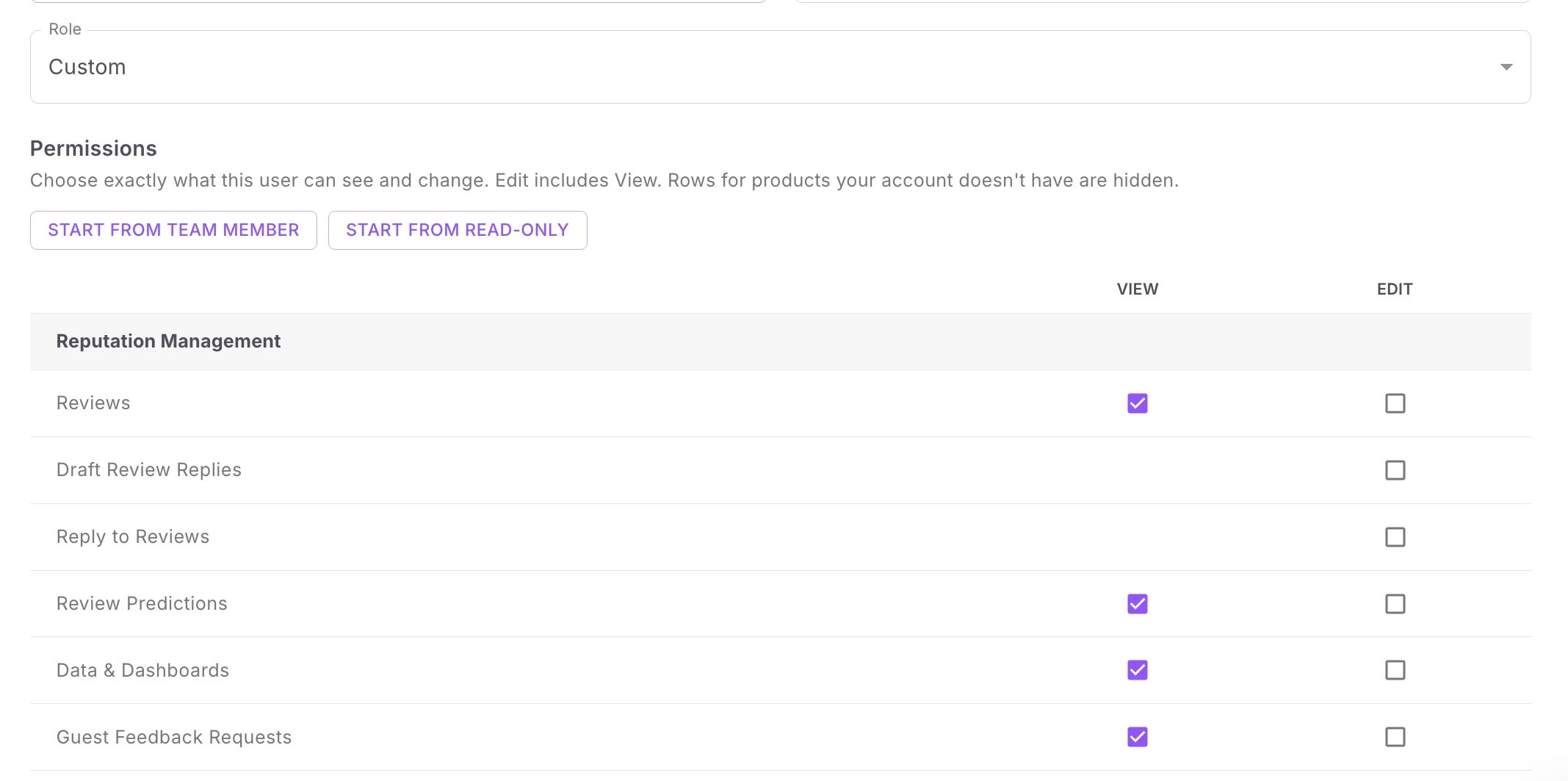
Give someone the Custom role, start from the Team Member or Read-Only preset, then check View or Edit for each area. For example:
A consultant who manages your rules and templates but never replies to reviews.
A housekeeping manager who can draft replies to cleaning feedback but can't post them.
Review replies get two separate permissions:
Draft Review Replies: write a reply or generate one with Chirp AI, and save it as a draft.
Reply to Reviews: publish replies.
More people can help write replies, while only the people you choose post them for your company. A saved draft is waiting in the reply box the next time anyone opens that review.
Or keep it simple with Read-Only
Read-Only users can see everything a Team Member can, but they can't change anything. It's an easy way to bring in people outside your guest experience team: your housekeeping and maintenance teams can see what guests say about their work, and leadership can keep an eye on reviews and dashboards.
Getting started
Open the Team Members tab on your Account page. You can also get there by clicking your profile icon in the top-right corner, then Account.
Click Add User, or click the pencil next to an existing user.
Choose a Role.
Adding team members is available on paid plans. Only Owners can change roles, and your current Owners and Team Members keep the access they have today.
For everything each role and permission covers, see the Team Roles and Permissions help guide.
Want to learn more?
If you'd like help choosing roles for your team, book time with us.